India e-Visa Application: Step-by-Step Guide
Learn how to complete your India e visa application online with this step-by-step guide. Covers eligibility, document uploads, payment, and approval.
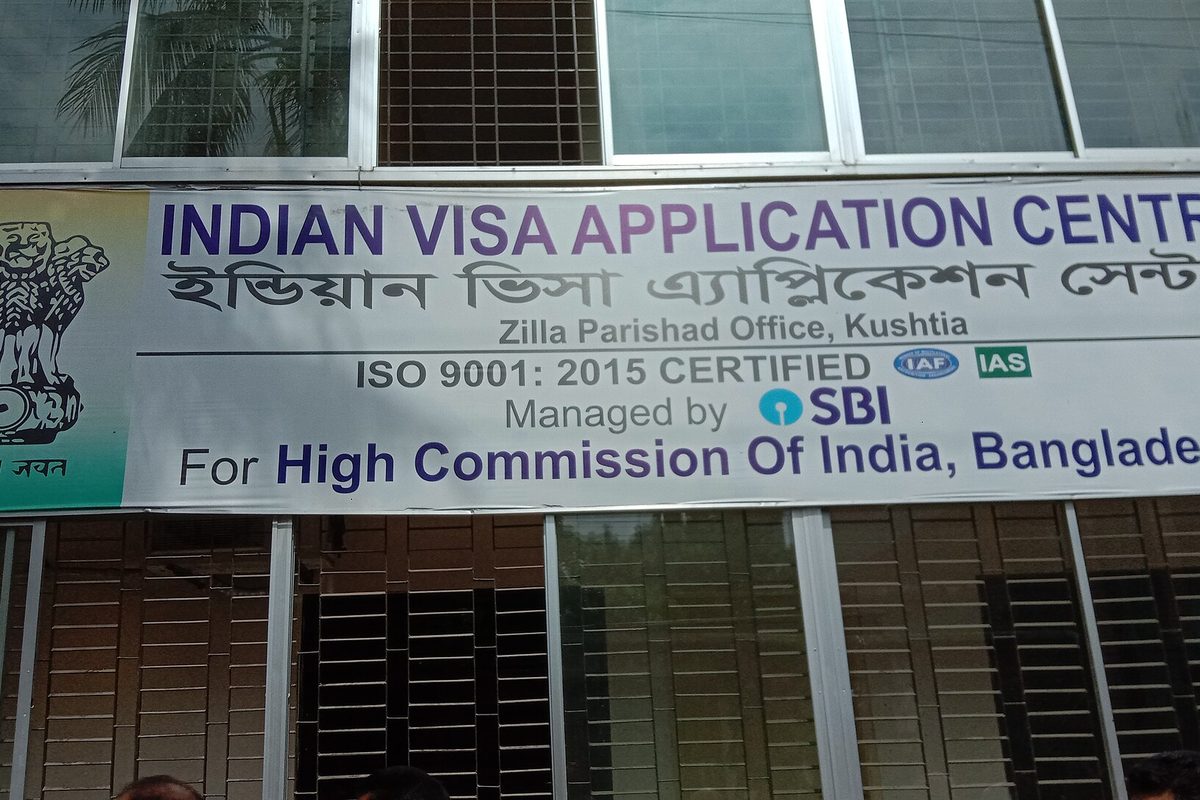
Getting Started with the India e-Visa
The India e-Visa eliminates the need to visit an embassy or consulate, making travel to India more accessible for citizens of over 160 countries. The entire process is completed online, from submitting the application to receiving the visa approval email. This guide walks you through every stage of the India e-Visa application: checking eligibility, gathering the required documents, navigating the official e-Visa portal, submitting the application, and tracking its status. We cover both the e-Tourist Visa India and the e-Business Visa categories, as well as the document upload requirements for each.
By the end of this guide, you will have the confidence to apply for an India e-Visa online without errors, saving time and avoiding common rejections. Whether you are planning a leisure trip, a business visit, or a medical journey, the e-Visa India guide provides clear instructions tailored to your purpose. The process is straightforward when you follow the correct steps, and this article ensures you have all the information you need to complete your application successfully.
Understanding the India e-Visa: Types and Eligibility
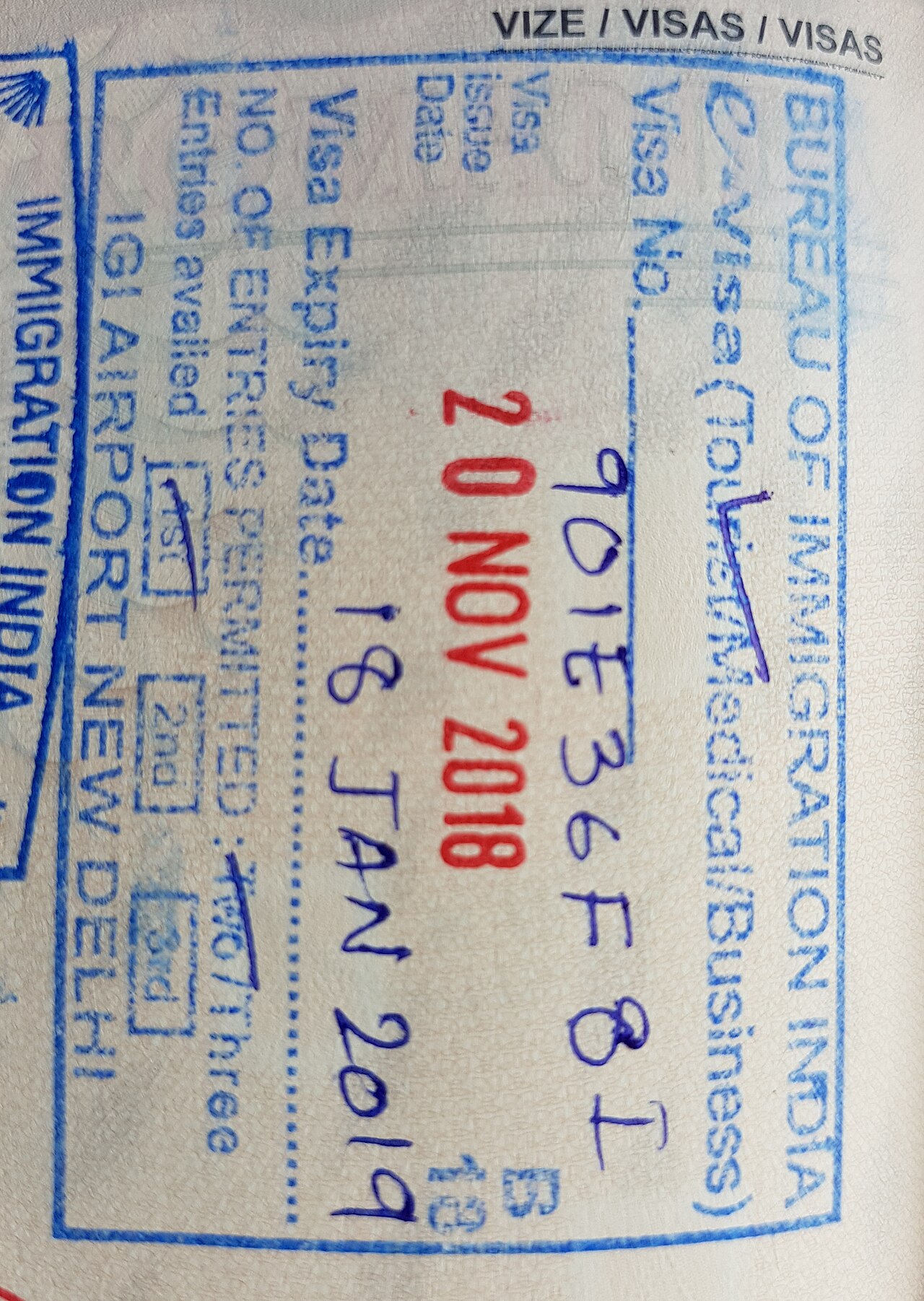
Photo: CrFilip98 / CC BY-SA 4.0 / Wikimedia Commons
e-Tourist Visa vs e-Business Visa: Which One Do You Need?
Choosing between the e-Tourist Visa and e-Business Visa depends entirely on the purpose of your trip. The e-Tourist Visa India is designed for travelers visiting India for recreation, sightseeing, casual visits to friends or family, and short-term activities like yoga retreats or medical check-ups that do not require a dedicated medical visa. It covers stays of up to 30 days for double entry, or up to one year and five years for longer-term options with multiple entries, which works well for a leisurely exploration of the country.
The e-Business Visa, in contrast, is intended for individuals traveling to India for business meetings, conferences, trade fairs, or to establish industrial or commercial ventures. It allows multiple entries and a stay of up to 180 days per visit, and it also permits interns to work under a separate arrangement. If your itinerary includes signing contracts, attending board meetings, or sourcing suppliers, the e-Business Visa is the correct choice.
Beyond these two, the e-Visa system includes an e-Medical Visa for those seeking medical treatment in recognized hospitals, and an e-Conference Visa for attending government-organized conferences. These cater to specific needs and have their own eligibility criteria. To decide, simply match the primary activity of your trip with the visa's defined purpose. A tourist visiting the Taj Mahal and taking a yoga class should apply for the e-Tourist Visa, while a businessperson attending a trade fair in Mumbai needs the e-Business Visa. Selecting the right type ensures a smooth online application and avoids complications at immigration.
Eligibility Criteria for the India e-Visa
Before starting the India e visa application, travelers must check that they meet the eligibility criteria set by the Indian government. The official e visa portal lists 169 eligible nationalities, including citizens of the United States, the United Kingdom, Australia, Canada, Germany, and Japan. Applicants must also meet the following requirements:
- Passport validity: your passport must have at least six months of remaining validity from the date of arrival in India.
- Return or onward travel: you must hold a return ticket or a confirmed onward journey to a third country.
- Passport type: the India e visa is not available for holders of diplomatic or official passports. Only regular passports are accepted.
Meeting these conditions is the first step. For detailed eligibility checks, always refer to the government portal before submitting your application. The same criteria apply to the e-Tourist Visa, e-Business Visa, and other e-Visa categories. Once approved, you will receive a visa approval email with your electronic visa attached.
Validity and Duration of Different e-Visa Types
When you apply for an India e-Visa online, note that validity and entry rules vary significantly by visa category. Selecting the correct type ensures you avoid overstaying or arriving at an unauthorized port. The e-Visa portal clearly labels each option, but understanding the differences is essential for a smooth trip.
- e-Tourist Visa: Available in three durations: 30 days, 1 year, or 5 years. The 30-day variant allows double entry, while the 1-year and 5-year variants permit multiple entries. Each stay under the 1-year or 5-year visa cannot exceed 90 consecutive days; the 30-day visa limits each stay to 30 days.
- e-Business Visa: Valid for 1 year with multiple entries, allowing a maximum stay of 180 days per visit. This visa covers business meetings, conferences, and exploratory visits, but it does not permit paid employment.
- e-Medical Visa: Issued for 60 days with triple entry, suitable for patients traveling to India for medical treatment. Accompanying attendants must apply for a separate e-Medical Attendant Visa.
All e-Visa types are valid for entry through 28 designated airports and 5 major seaports across India. Authorized entry airports include Delhi, Mumbai, Chennai, Kolkata, Bengaluru, Hyderabad, and 22 others. The six seaports are Mumbai, Chennai, Cochin, Goa, Mangalore, and Kolkata. Travelers must arrive at one of these authorized ports to use their e-Visa; land borders are not permitted.
Your visa approval email will specify the exact validity period, which begins on the date of arrival in India. The e-Visa cannot be extended or converted to another visa type, so plan your itinerary carefully. Overstaying even a day can result in fines, so align your travel schedule with the duration allowed by your chosen e-Visa category.
Preparing Required Documents for the India e-Visa Application
Passport Scan Requirements: Format, Size, and Guidelines
The India e visa application requires a scanned copy of the passport bio page in PDF format. This is the page that contains the applicant's photograph, signature, and personal details. The scan must be a direct copy of the physical passport data page; cropped smartphone photos or compressed images often fail the system's automatic checks. A color scan is recommended so the photo and signature remain clearly distinguishable.
File size limits are strict: the PDF must be between 10 KB and 300 KB. Files under 10 KB are usually too compressed to be legible, while those over 300 KB will be rejected by the portal. The scan must be clear and free of glare, shadows, or reflections. Every detail, including the passport number, date of birth, and expiry date, must be fully readable. The portal displays a warning if the file exceeds the size limit, so checking file properties before uploading helps avoid delays.
The document upload section of the application specifically requests the passport data page (with photo and signature). Do not upload the cover page, a blank page, or any other page. Following these format guidelines ensures smooth processing. Using a proper PDF scanner rather than a generic image converter maintains compliance. Whether applying for an e-Tourist or e-Business visa, the same passport scan requirement applies. Properly prepared documents increase the chance of approval without delays.
Photo Specifications: JPEG Format and Dimensions
One of the most common reasons an India e-Visa application gets rejected is a badly formatted photograph. The official e-Visa portal requires a digital face photo in JPEG format that meets strict technical guidelines. The file must be JPEG, between 10 KB and 1 MB, with exact dimensions of 2x2 inches (51x51 mm), a square aspect ratio. The India e visa application system automatically checks the photo dimensions and file size before you can submit. The background must be white or off-white with no shadows, and your face must be centered, front-facing, with a neutral expression and eyes open. The photo should be taken within the last six months so it reflects your current appearance. Preparing this file correctly before you start the online form will save time and prevent delays in getting your approval email.
- Format: JPEG only. File size: 10 KB to 1 MB. Save at 200-300 DPI for best quality.
- Dimensions: 2x2 inches (51x51 mm), square. A standard passport photo works.
- Background: White or off-white, evenly lit, no shadows or patterns.
- Subject: Face centered, front-facing, neutral expression, eyes open, mouth closed. No accessories that obscure the face.
Double-checking these specs before uploading keeps your upload process smooth. For any e-Tourist or e-Business visa application, the same photo rules apply, so prepare a single compliant file that meets the official requirements. Many applicants overlook the photo requirements, leading to delays that can last days before the visa is issued. Making sure your photo meets these specifications early in the process avoids the frustration of a rejected application. Following these guidelines will help you apply online without unnecessary setbacks, and your approval will arrive faster.
Step-by-Step Guide to Apply India e-Visa Online
Accessing the Official e-Visa Portal
Every applicant must start on the official Indian government portal at indianvisaonline.gov.in. This is the only authorized e visa portal run by the Ministry of Home Affairs. Third-party websites often copy the official interface, charge inflated fees, and sometimes fail to submit applications at all. To avoid these scams, bookmark the genuine government portal and never click sponsored ads or promotional links that appear in search results. The official site clearly shows a .gov.in domain and does not require payment through unverified intermediaries.
On the homepage, the interface offers language options at the top right, including English and Hindi, making navigation accessible for international travelers. Below, a series of clearly labeled tabs correspond to visa categories: e-Tourist Visa, e-Business Visa, e-Medical Visa, e-Conference Visa, and e-Student Visa. Selecting the correct tab is essential, as each leads to a tailored application form. For example, clicking the e-Tourist Visa tab opens fields specific to tourism purposes, while the e-Business Visa tab requests details about the inviting company and purpose of visit.
After selecting the appropriate visa type, the form unfolds in a step-by-step format: personal information, passport details, travel itinerary, and document upload. The document upload section specifies acceptable formats (PDF, JPEG) and file size limits. A completed application receives a temporary application ID, and after successful payment, the system sends a visa approval email within 72 hours. By using the official portal, applicants ensure their data is handled securely and their application is processed correctly without unnecessary delays or extra costs.
Filling the India e-Visa Application Form
The India e visa application form is the core of the process and requires careful attention. It is organized into three sequential sections, and when you apply online, the portal guides you through each. All fields must be completed in English, exactly as they appear on your passport.
- Personal details: full name, date of birth, nationality, gender, and contact information (email and phone number). The email address you provide is where the approval email will be sent, so double-check it.
- Passport information: passport number, country of issue, date of issue, and date of expiry. These dates must match your passport exactly; even a one-digit error can trigger a rejection.
- Travel details: intended arrival date, port of entry (choose from the list of designated airports and seaports), and accommodation address in India. If your itinerary is not yet finalized, provide a hotel booking or a known address.
This guide applies to all visa types, including the e-Tourist and e-Business visas. The arrival date you enter must fall within the 30-day window from the date of application. Once you complete the form, the system moves to the document upload stage. Verify every field before clicking submit; the approval email typically arrives within three to five business days. You can track your application status on the portal using your application ID.
Uploading Documents: Passport and Photo
The India e-Visa application requires two documents to be uploaded into the online form: a scanned copy of the passport's bio page in PDF format and a recent photograph in JPEG format. These files are uploaded into designated slots within the online form. Before uploading, check that the passport scan is clear and includes all personal details and the photo is a proper face photo JPEG with a plain white background.
- Passport scan: PDF up to 300 KB, with the bio page clearly visible.
- Photo: JPEG between 10 KB and 1 MB, 350x350 pixels minimum, 2x2 inches in size.
- The face must cover 70-80% of the frame, with no shadows or red eyes.
- Both documents must meet the official guidelines published on the government website.
After you select the files, the system automatically validates them for size and format. If any file is rejected, the portal displays an error message explaining the issue. Fix the error by resizing the scan or retaking the photo, then re-upload. Once the documents pass validation, you can proceed to complete the payment. A successful submission leads to the approval email within a few business days, depending on whether you apply for an e-Tourist Visa or an e-Business Visa.
Payment and Submission: Using Credit Card
The final step in the India e visa application process is making the payment. The official e-Visa portal accepts credit cards, debit cards, and net banking from major Indian banks. For most international applicants, a credit card payment (Visa, Mastercard, or Amex) is the most straightforward option. The portal uses a secure gateway and processes transactions in Indian Rupees, so your bank may apply a small foreign transaction fee.
Fees vary significantly by visa type and nationality. For example, a 30-day e Tourist Visa India for a US citizen costs approximately $25, while the same visa for a UK citizen is around $10. An e Business Visa valid for one year can cost up to $100, depending on the applicant's country of origin. The exact amount is displayed on the payment page before you confirm.
Once the payment is successful, the system generates an Application Reference ID, a unique 9-digit number tied to your application. This reference ID is essential for checking your visa status on the e-Visa portal. You will also receive a payment receipt via email. Save both the reference ID and the receipt immediately; you will need them to track your application and to download the final approval email. Without this ID, locating your application later is nearly impossible.
After completing the credit card payment and receiving the reference ID, your application is officially submitted. The visa approval email typically arrives within 3-5 business days, though processing times can vary. The reference ID allows you to log in and check the status at any time, so keep it in a safe place alongside your travel documents.
After Submission: Tracking Your e-Visa Application
Understanding Your Application Reference ID
After you submit your India e visa application, the system generates a unique application reference ID. This alphanumeric code, usually 12 to 16 characters long (e.g., IND1234567890), is your main identifier throughout the process. You will see it on the confirmation screen and in the approval email sent to your registered email address. Keep this ID handy because you will need it for all future correspondence and to track your application status on the official e visa portal.
To check your application progress, go to the portal and select the "Check Status" option. Enter your application reference ID along with your passport number and date of birth. The portal shows real-time updates such as "Under Process," "Approved," or "Rejected." This self-service option means you do not need to contact support for routine status checks.
Processing times for standard applications usually range from 24 to 72 hours, though some cases may take up to 5 days during peak travel seasons or if additional verification is needed. By using your application reference ID on the portal, you can monitor exactly where your application stands without unnecessary delays.
Checking Status and Receiving the Visa Approval Email
After submitting the India e visa application, the next step is tracking its progress through the official portal. To check the status, open the portal and go to the "Check Status" section. Enter the application reference ID (the 12-character alphanumeric string provided at the time of submission) and the passport number exactly as they appear on the application form. The system then displays the current status of your application.
- Under Process: The application is being reviewed by the Bureau of Immigration. Most cases are processed within 72 hours, though some may take up to 5 business days.
- Granted: The e-visa has been approved. The approval email will be sent to the address provided during the application.
- Rejected: The application did not meet the requirements. The email will include the reason for rejection, such as incomplete document uploads or ineligibility for the chosen visa type.
Once the status changes to "Granted," the e-Visa is delivered via a visa approval email containing a PDF attachment. This PDF includes the visa grant letter with the visa number, validity dates, and permitted entry points. Travelers applying for an e-Tourist Visa or e-Business Visa receive the same document format. The PDF should be saved to a mobile device and printed as a physical copy.
Upon arrival in India, present the printed e-Visa along with the passport used for the application. Immigration officers scan the QR code on the visa letter to verify details. Keeping both the printed copy and the digital backup ensures a smooth entry process. The e-Visa is not stamped in the passport; the letter serves as the official record of approval.
Important Tips for a Smooth e-Visa Application
Common Mistakes to Avoid During the Application Process
Even a small error on your India e visa application can lead to rejection. The most common mistakes are easily avoided with careful checking.
- Mistyped passport numbers or dates: Verify every character against your passport's machine-readable zone. A single transposed number can invalidate the entire application. This is the most frequent error of all.
- Uploading outdated or blurry documents: The portal requires clear scans of your passport photo page and recent photograph. For e business visa or e tourist visa India applications, all supporting documents must be sharp and current. Ensure file sizes meet the portal's limits. Re-scan any faded or low-resolution files.
- Applying too close to your travel date: Apply at least 4 days before departure, but ideally 7-10 days. The approval email is sent to your inbox; check spam. Weekend submissions are processed on the next business day, and processing times can extend over Indian holidays.
- Entering an incorrect port of entry: Only 28 designated entry airports and 5 major seaports accept e-Visas. Consult the official list on the portal before selecting your arrival point. A wrong selection leads to instant rejection.
Avoiding these common mistakes streamlines the application process. Double-check your details, update your documents, and confirm your port of entry for a successful application.
Bottom Line on the India e-Visa Application
Applying for an India e-Visa is straightforward: check your eligibility against the country list, prepare digital copies of your passport bio page and a recent photograph, complete the online form on the official portal, pay the fee with a credit or debit card, and then track the status using your application reference number. Most applicants receive their approval email within 72 hours, though processing times can vary.
Since the entire process is online, you do not need to visit an embassy or courier physical documents. That makes it a convenient option. The e-Tourist Visa covers sightseeing and short visits, while the e-Business Visa allows commercial activities like meetings and conferences. Both require that you upload documents correctly. A blurry or cropped photo is the most common reason for rejection.
Submit your application at least four to seven days before your planned departure. Ensure every field is accurate, as errors in your name or passport number can delay the approval email. For a step-by-step guide, refer to the e-Visa India guide on the official portal. Apply through the government's authorized website to get your travel authorization in time.
Official sources
Details worth verifying before you go — checked against:

Travel Writer & Editor
Emily Johnson writes and edits Do Travel Blog. Every guide on the site starts the same way: with a question she actually had while planning — when to book, which pass to buy, how to get from A to B without overpaying. Where a number matters, she cites the source: park tickets link to the park's own fee page, visa rules to the official consulate, ferry times to the operator. Prices get re-checked against those pages before each update, and a guide is re-dated when its numbers move. Nothing here is sponsored — she doesn't accept payment for coverage. Spotted something stale or wrong? Email hello@dotravel.blog and she'll fix it.